githubEdit

Juniper MX AMT Hardware Offload

Offload AMT multicast relay processing to Juniper MX hardware

Every RELAY node runs Linux kernel AMT by default. For operators with Juniper MX routers (MX204, MX240, MX480, MX960, etc.), you can offload AMT relay processing to dedicated hardware for better performance and scale.

Hardware offloading is optional. Your RELAY works without it. This is for operators who want to handle thousands of concurrent AMT tunnels at line rate.

What This Gives You

Linux Kernel AMT (default)
Juniper MX Hardware

Setup

Automatic, zero-config

Requires gNMI + jFlow setup

Tunnel scale

Hundreds

Thousands (line rate)

Stats collection

amt-astats reads kernel counters

amt-astats reads via gNMI

CDNi billing

amt-astats HTTP logs

jFlow/IPFIX records

DRIAD discovery

TR advertises gateway IP

TR advertises MX anycast IP

Prerequisites

  • Juniper MX router running JunOS 22.2R3 or later

  • MX registered as AMT_RELAY server in Traffic Ops with profile AMT_RELAY_MX_PROFILE

  • amt-astats deployed on your gateway pod (included in the default RELAY runtime)

  • Magma gateway certificates (auto-provisioned during RELAY registration)

Setup via Portal

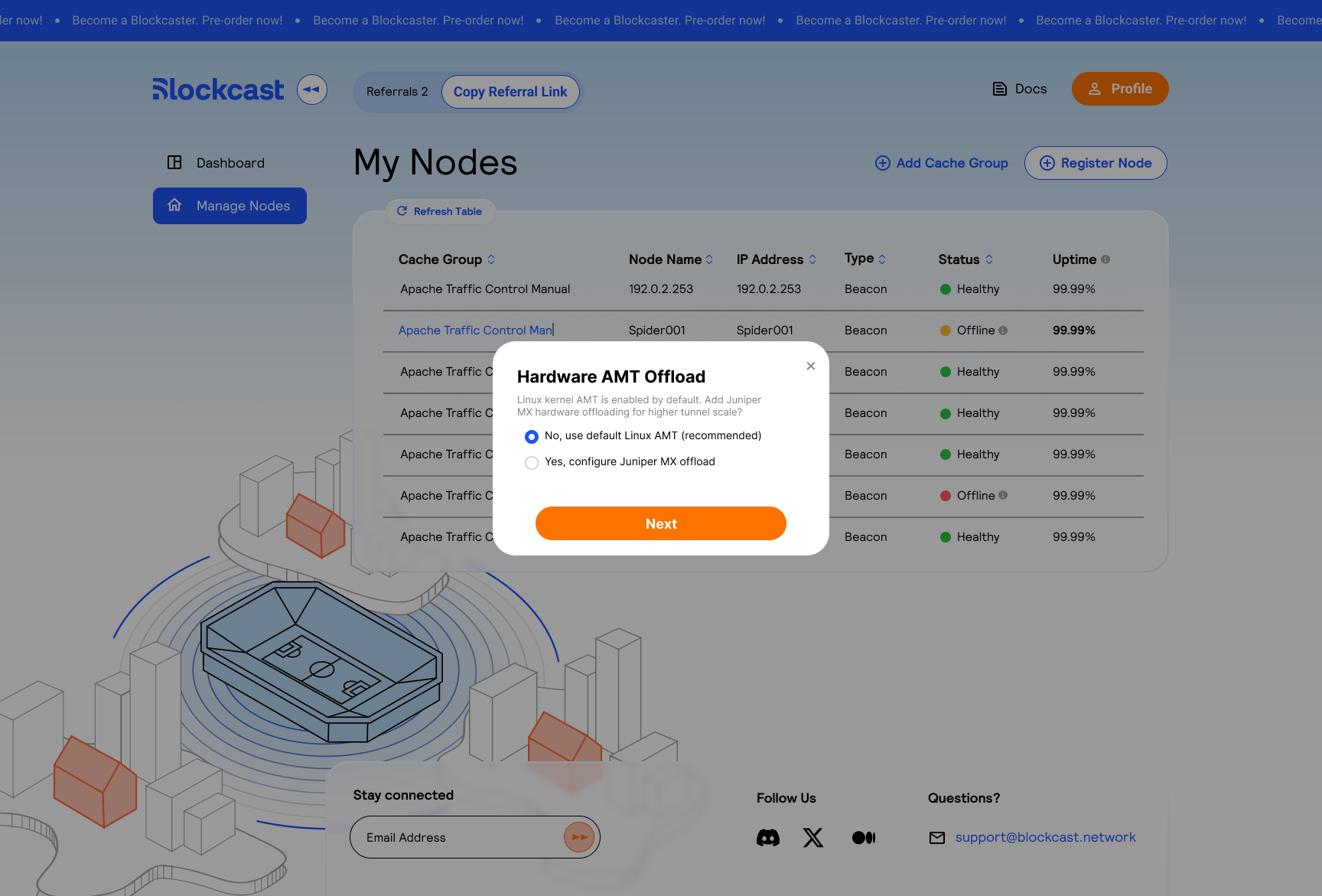
During RELAY onboarding (after the Bandwidth Commitment step), the portal asks if you want to add hardware AMT offloading.

Hardware AMT Offload dialog with two options: use default Linux AMT or configure Juniper MX offload
Select "Yes, configure Juniper MX offload" to proceed with hardware setup
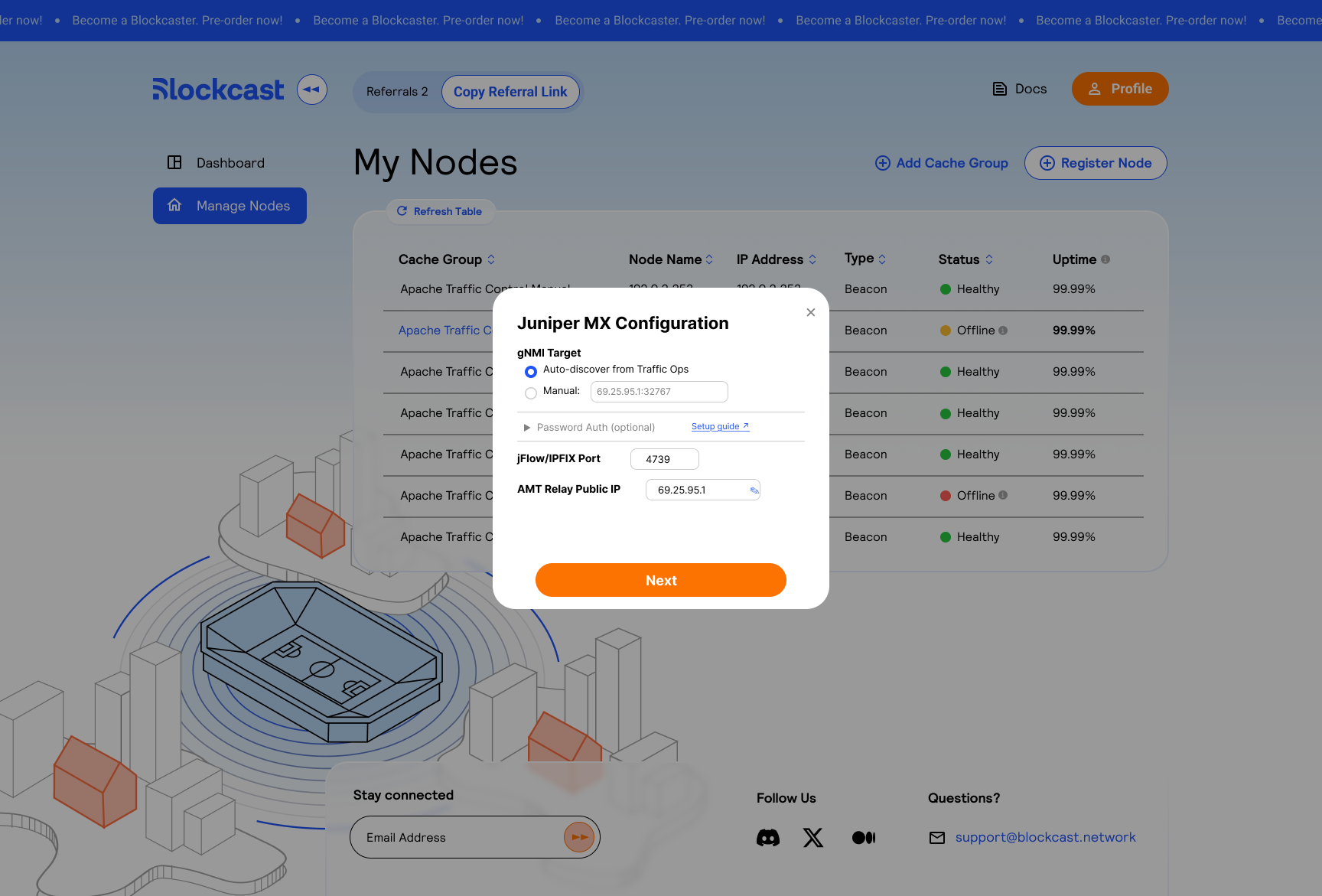
Select Yes, configure Juniper MX offload to open the configuration screen:

Juniper MX Configuration showing gNMI target, optional password auth, jFlow port, and AMT Relay Public IP
Configure gNMI target, jFlow/IPFIX port, and AMT Relay Public IP
Field
Description
Example

gNMI Target

Auto-discover from Traffic Ops (recommended) or enter a manual IP:port

69.25.95.1:32767

jFlow/IPFIX Port

IPFIX receiver port on amt-astats

4739

AMT Relay Public IP

The public IP of your hardware AMT relay. This may differ from the auto-detected gateway IP. Traffic Router uses this IP for DRIAD DNS responses so clients reach the MX directly for AMT tunnel setup.

69.25.95.1

Authentication: gNMI uses certificate-based mTLS by default. Your gateway's Magma certificates are automatically used for mutual TLS authentication with the MX. No username or password is needed. If your MX requires gRPC metadata password auth, expand the Password Auth (optional) section and enter the JunOS credentials. See gNMI Authentication below for details on loading the CA certificate.

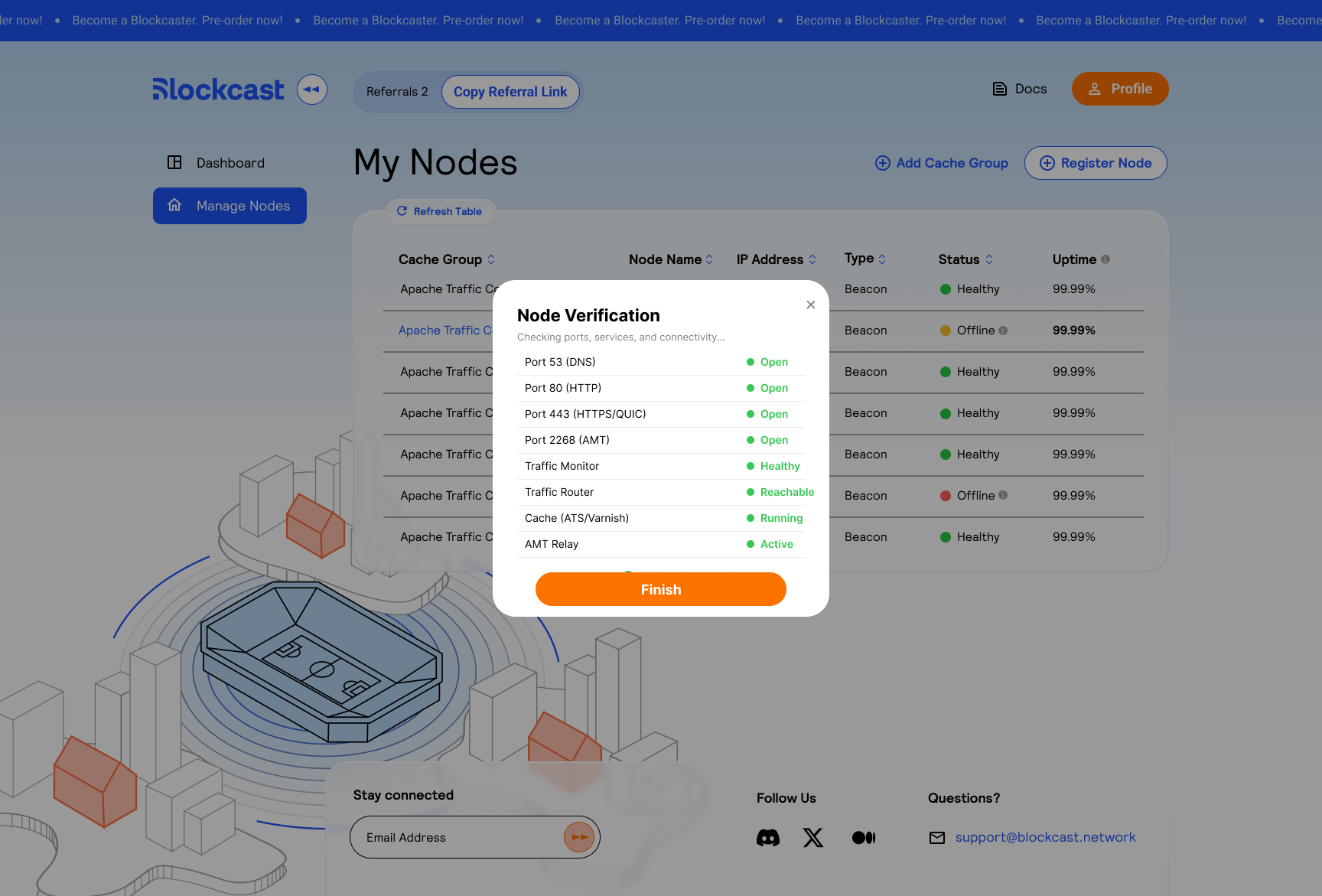
After completing the MX configuration, the portal proceeds to the Node Verification step:

Node Verification checklist showing ports, Traffic Monitor, Traffic Router, Cache, and AMT Relay status
All ports and services must pass verification before the node goes live

This checks that all required ports (53, 80, 443, 2268) are forwarded and all services (Traffic Monitor, Traffic Router, cache, AMT relay) are reachable and healthy.

gNMI Authentication

By default, gNMI uses certificate-based mTLS. Your gateway's Magma certificates are automatically used for mutual TLS authentication with the MX router. No username or password is needed.

If your MX requires gRPC metadata password authentication (in addition to or instead of cert auth), expand the "Password Auth" section in the portal wizard and enter the JunOS local user credentials.

Loading the CA Certificate on the MX

The MX must trust the Magma certifier CA to verify your gateway's client certificate during the gNMI mTLS handshake:

  1. Extract the CA cert from your gateway pod:

  2. Copy it to the MX:

  3. Load it on the MX:

    Then from operational mode:

  4. Reboot the MX (required — JSD does not reliably reload CA certs without a full reboot):

Manual Setup (CLI)

If you prefer to configure the MX manually instead of using the portal wizard:

1. Load Magma Certifier CA on the MX

The MX needs to trust the Magma certifier CA to verify gateway client certificates during the gNMI mTLS handshake.

On the MX:

Then from operational mode:

2. Configure gNMI Extension Service

3. Reboot the MX

JSD does not reliably reload CA certs without a full reboot.

4. Configure amt-astats

In your Helm values or docker-compose environment:

amt-astats auto-discovers the MX address from Traffic Ops by querying for AMT_RELAY_MX_PROFILE servers in the same cachegroup. Set gnmiTarget explicitly only if you need to override discovery.

5. Verify

How It Works

When the MX is the active AMT relay, Traffic Router advertises the MX's anycast IP in DRIAD DNS responses (not the gateway IP). Clients performing RFC 8777 DRIAD discovery reach the MX directly for AMT tunnel setup.

Known Gotchas

Ed25519 TLS works on JunOS 22.2+. Magma Ed25519 gateway certificates pass TLS verification. The MX advertises Ed25519 in its requested signature algorithms during the TLS CertificateRequest.

JSD requires reboot after CA change. After replacing the CA cert in a PKI profile, restart jsd immediately is not sufficient. The gRPC connection closes with EOF. A full reboot is required.

Only one CA profile for gNMI mutual auth. The certificate-authority configuration accepts a single CA profile. Switching CAs is a replace operation.

skip-authentication still needs gRPC metadata password. Despite its name, JGrpcServer requires username + password in gRPC metadata to populate its internal auth tracking. An empty password causes auth errors. Set GNMI_USERNAME and GNMI_PASSWORD with a valid JunOS local user.

SANs may affect identity extraction. Magma gateway certs have multiple DNS SANs. Since skip-authentication + gRPC metadata password handles auth, this doesn't block connectivity, but is relevant if you try cert CN as the sole auth method.

Last updated

Was this helpful?